Why Watermarks Are Killing Your Content (And What to Do About It)
Let’s be honest, there’s nothing more frustrating than spending time crafting the perfect AI generated image, only to download it and find a chunky logo plastered right across the middle.
If you’re a blogger, YouTuber, marketer, or content creator, watermarks aren’t just annoying. They’re a credibility killer.
Clean visuals matter whether you’re building a brand, designing YouTube thumbnails, or creating social media graphics, your audience judges your content by how it looks.
Watermarked images scream free trial, and that’s not the impression you want to give.
The good news? In 2026, there are genuinely excellent free AI image generators that let you create and download stunning visuals without any watermarks.
Some don’t even ask you to sign up.
In this guide, I’ve personally tested and reviewed the best options so you don’t have to wade through the noise yourself.
Let’s get into it.
Best Free AI Image Generators Without Watermarks
| Tool | Free Plan | Visual Watermark | Sign-Up Required | Best For |
| Adobe Firefly | 25 credits/month | ❌ None | ✅ Yes | Professional blog imagery |
| Bing Image Creator | Unlimited (throttled) | ❌ None | ✅ Yes | YouTube thumbnails |
| Ideogram AI | ~10–20/day | ❌ None | ✅ Yes | Text-in-image, thumbnails |
| Canva AI | 50 lifetime | ❌ None | ✅ Yes | Design workflow users |
| Stable Diffusion (local) | Unlimited | ❌ None | ❌ No | Power users, developers |
| Craiyon | Unlimited | ❌ None | ❌ No | Quick concepts, no login |
| NightCafe | 5 credits/day | ❌ None | ✅ Yes | Artistic style variety |
| Lexica Aperture | 100/month | ❌ None | ✅ Yes | Photorealistic imagery |
| Leonardo AI | 150 tokens/day | ❌ None | ✅ Yes | Game art, stylized content |
| Playground AI | 500/day | ❌ None | ✅ Yes | High-volume creation |
| Tensor.Art | ~100 credits/day | ❌ None | ✅ Yes | Community model variety |
| Gencraft | Limited/day | ❌ None | ✅ Yes | Mobile creators |
Table of Contents
⚠️ A Quick Note on Watermarks — Visual vs. Invisible
Before we dive in, here’s something most articles won’t tell you: there are actually two types of watermarks you need to know about in 2026.
- Visual Watermarks The obvious kind. Logos, text overlays, or semi-transparent branding stamped directly onto your image you can see them immediately.
- Invisible Metadata (C2PA / SynthID) this is the sneaky one. Some AI tools embed invisible digital signatures into your images using standards like C2PA (Coalition for Content Provenance and Authenticity) or Google’s SynthID you can’t see these with the naked eye, but platforms and forensic tools can detect them, and in some cases, they flag the image as AI-generated.
For most creators, visible watermarks are the main concern, but if you’re doing professional brand work or journalism-adjacent content, it’s worth knowing that “watermark-free” doesn’t always mean “signature-free. “I’ll flag which tools use invisible metadata where relevant.
Best Free AI Image Generators Without Watermarks (2026)
Adobe Firefly (Free Tier)

Adobe Firefly has become one of my go-to recommendations for creators who need genuinely clean output.
Adobe’s free plan gives you a monthly credit allowance, and critically, the images you generate don’t carry any visual watermarks on download.
Key Features:
- Text-to-image generation with strong prompt adherence
- Style controls including lighting, composition, and color tone
- Generative Fill for editing existing images
- Trained on licensed content (great for commercial-adjacent use)
Free Plan Limitations: 25 credits per month; unused credits don’t roll over.
Best Use Case: Bloggers and marketers who need professional, photo-realistic imagery on a tight budget.
Microsoft Designer / Bing Image Creator (DALL-E Powered)
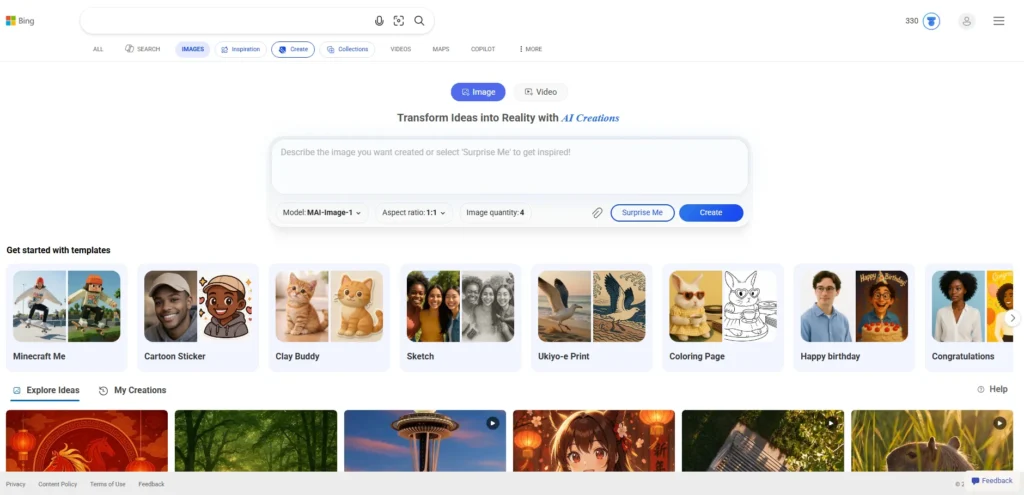
If you have a Microsoft account (and let’s face it, most people do), Bing Image Creator gives you access to DALL-E 3-powered image generation for free.
The output is genuinely impressive, and downloads are clean no logos, no watermarks.
Key Features:
- Powered by DALL-E 3 technology
- Generates 4 image variations per prompt
- Integrated into Microsoft Edge and Copilot
Free Plan Limitations: Unlimited generations, but with speed throttling after daily boost credits are used.
Best Use Case: YouTubers needing quick, varied thumbnail concepts.
Ideogram AI
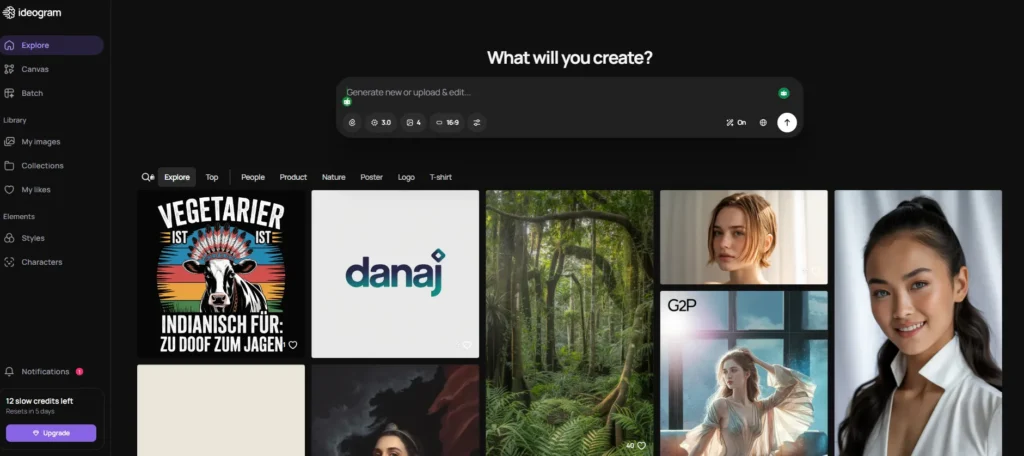
Ideogram is one of those tools that flew under the radar for a while, but in my experience, it’s become a favorite for creators who need text inside their images, something most AI generators genuinely struggle with.
The free plan is generous, and there are zero visible watermarks on generated images.
Key Features:
- Exceptional text rendering inside images
- Multiple aspect ratios, including 16:9 (perfect for thumbnails)
- Style presets (Realistic, Design, Anime, 3D, etc.)
Free Plan Limitations: 10–20 free generations per day depending on server load.
Best Use Case: Social media designers, thumbnail creators, and anyone who needs readable text baked into their images.
Canva AI Image Generator
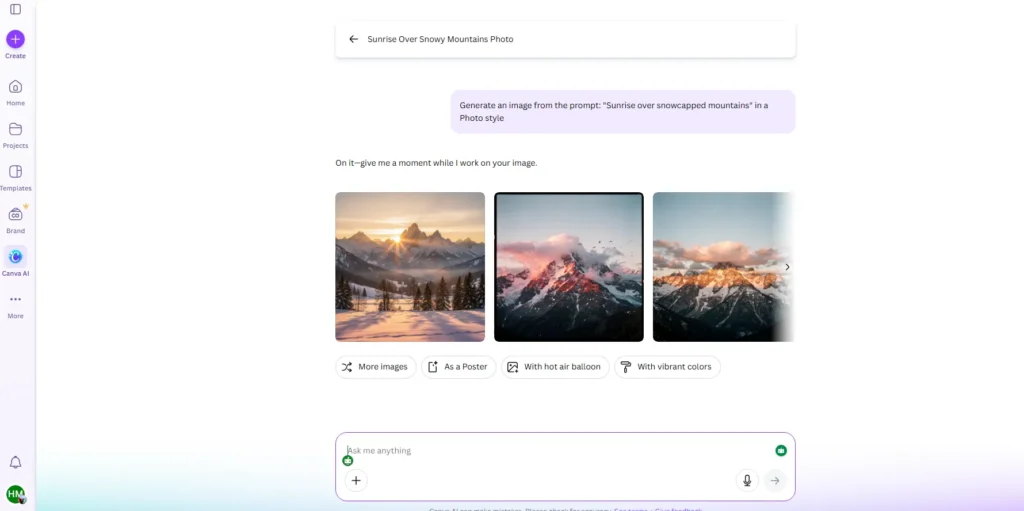
Canva has quietly built one of the most accessible free AI image tools on the market. If you’re already using Canva for design (and many bloggers and marketers are), the built-in AI image generator is a natural fit.
No watermarks on the generated images themselves, though your final Canva design may carry a watermark depending on your plan.
Key Features:
- Fully integrated into the Canva design workflow
- Multiple AI models to choose from
- Text-to-image with style options
Free Plan Limitations: 50 AI image generations per lifetime on the free plan (refreshes aren’t guaranteed).
Best Use Case: Bloggers and small business owners who already live inside Canva’s ecosystem.
Stable Diffusion (via DreamStudio or locally)
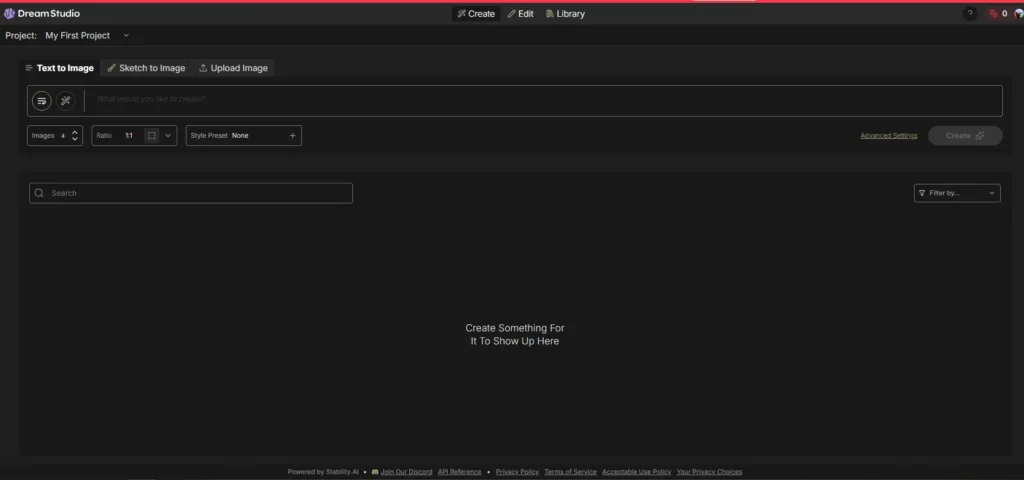
Here’s the nuclear option for anyone serious about watermark-free generation: run Stable Diffusion yourself.
The open-source model can be run locally on your own machine (if you have a decent GPU) or accessed through platforms like DreamStudio.
When you generate locally, you own everything no watermarks, no metadata, no restrictions.
Key Features:
- Completely open-source
- Enormous community of models and fine-tunes (Civitai, Hugging Face)
- Full control over every aspect of generation
Free Plan Limitations: Completely free locally dreamStudio offers limited cloud credits.
Best Use Case: Power users, developers, and creators who want total control without any restrictions.
Running Stable Diffusion locally is the ultimate power move, but if your PC isn’t quite ready, check out our guide on the Best GPU Cloud Providers for AI to rent a high-end RTX 5090 for your projects.
Craiyon (formerly DALL-E Mini)
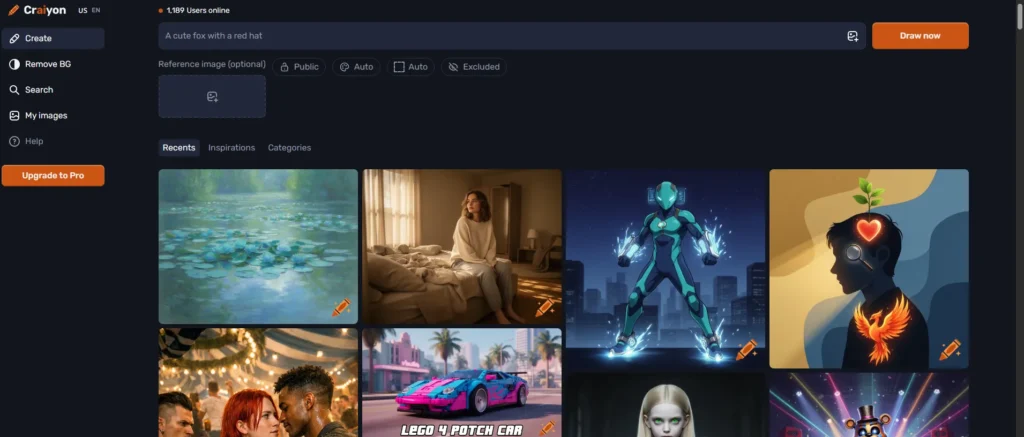
Craiyon is about as simple as it gets.
No sign-up, no account, and no watermarks just type your prompt and generate.
The image quality isn’t going to win any awards in 2026, but for quick concept visualization or casual use, it’s completely free and surprisingly functional.
Key Features:
- Zero account requirements
- Unlimited free generations
- Simple, no-frills interface
Free Plan Limitations: Fully free with ads; premium plan removes ads and speeds things up.
Best Use Case: Quick ideation, rough concepts, or anyone who wants to generate images without creating an account.
NightCafe Studio

NightCafe has been around longer than most AI art platforms, and it shows in the quality and variety on offer.
Many creators prefer NightCafe for its range of AI models from Stable Diffusion to SDXL and the daily free credit system means you can generate images every single day without paying a penny.
Key Features:
- Multiple AI models including SDXL and DALL-E
- Daily free credits
- Active community for sharing and inspiration
Free Plan Limitations: 5 free credits per day (more through community participation).
Best Use Case: Artists and creators who want variety in artistic styles without committing to a paid plan.
Lexica Aperture
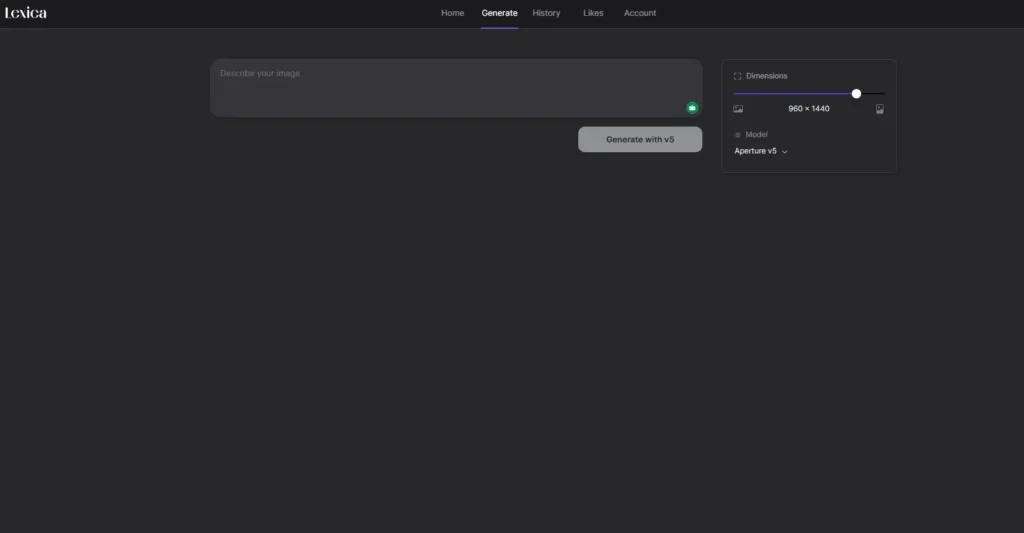
Lexica started as a search engine for Stable Diffusion prompts and has since evolved into a capable image generator in its own right.
The free tier is genuinely usable, and in my testing, downloads came through clean without any visible branding.
Key Features:
- Photorealistic image generation
- Built-in prompt search for inspiration
- Clean, fast interface
Free Plan Limitations: 100 queries/month free.
Best Use Case: Bloggers who need realistic stock-photo-style images without paying for stock photos.
Leonardo AI

Leonardo is one of the more powerful free options on this list.
The free plan is actually quite generous 150 tokens per day and the quality of output, especially for game art, fantasy illustration, and product mockups, is genuinely impressive.
No visible watermarks on standard downloads.
Key Features:
- 150 free tokens daily
- Fine-tuned models for different styles
- Image-to-image generation
- Canvas editor for iterative refinement
Free Plan Limitations: 150 tokens/day; tokens refresh daily.
Best Use Case: Game designers, fantasy illustrators, and content creators who need stylized visuals.
Playground AI
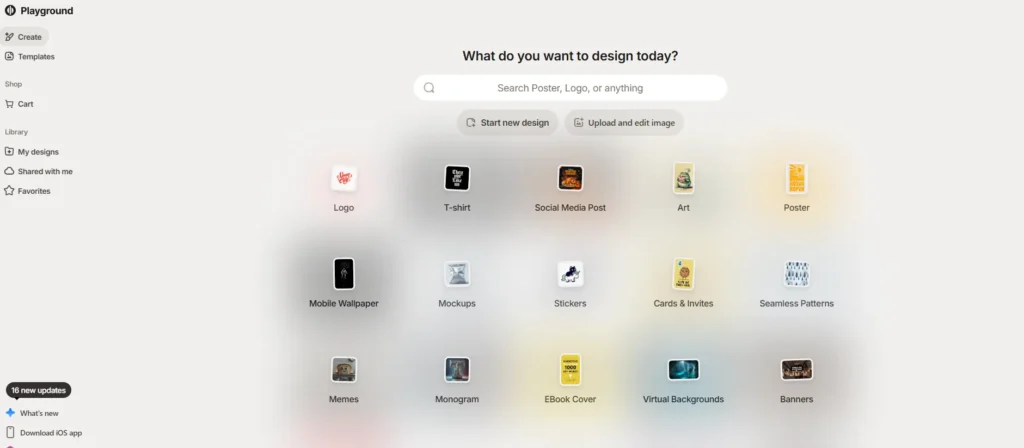
Playground AI offers a surprisingly generous free tier 500 free images per day which puts most competitors to shame. Image quality using their Canvas model is solid, and watermarks aren’t applied to free downloads.
Key Features:
- 500 free images per day (as of early 2026)
- Multiple model options
- Real-time collaboration canvas
Free Plan Limitations: 500 images/day; limited access to premium models.
Best Use Case: High-volume content creators who need lots of images fast.
Tensor.Art
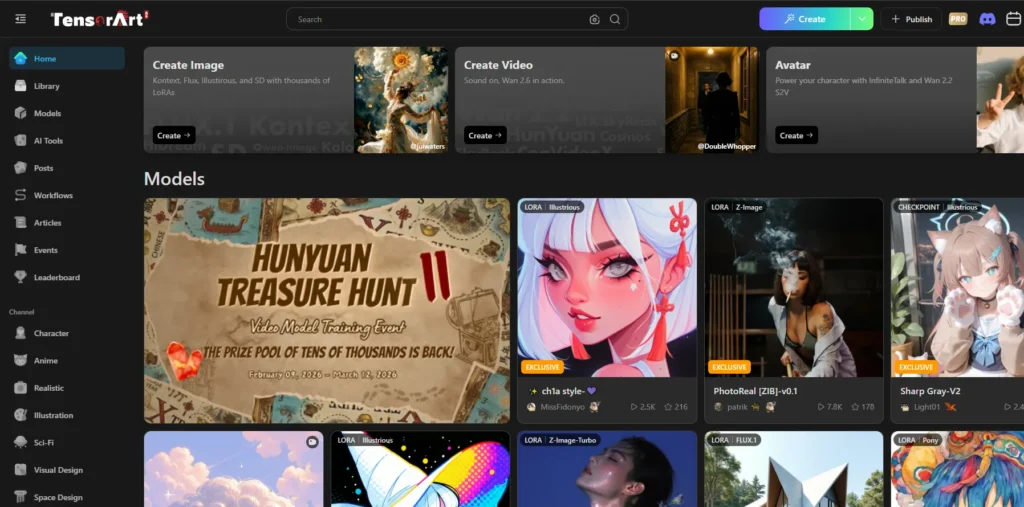
Tensor.Art is a hidden gem. It runs on Stable Diffusion based models and gives you a healthy daily credit allowance for free.
The platform hosts thousands of community-trained models, so the variety is enormous. No watermarks on standard downloads.
Key Features:
- Huge library of community models
- Daily free credits
- Wide range of artistic styles
Free Plan Limitations: ~100 credits per day.
Best Use Case: Creators who want maximum stylistic variety for free.

Gencraft works well both on mobile and desktop, making it a solid choice for creators who work across devices.
The free plan includes watermark-free downloads and a reasonable daily limit.
It’s not the most powerful tool here, but for quick, clean generation it does the job well.
Key Features:
- Cross-platform (web and mobile)
- Multiple art styles
- Simple, beginner-friendly interface
Free Plan Limitations: Limited daily generations on free plan.
Best Use Case: Mobile content creators who need quick visuals on the go.
The Ghost Mode: Best AI Generators with No Sign-Up
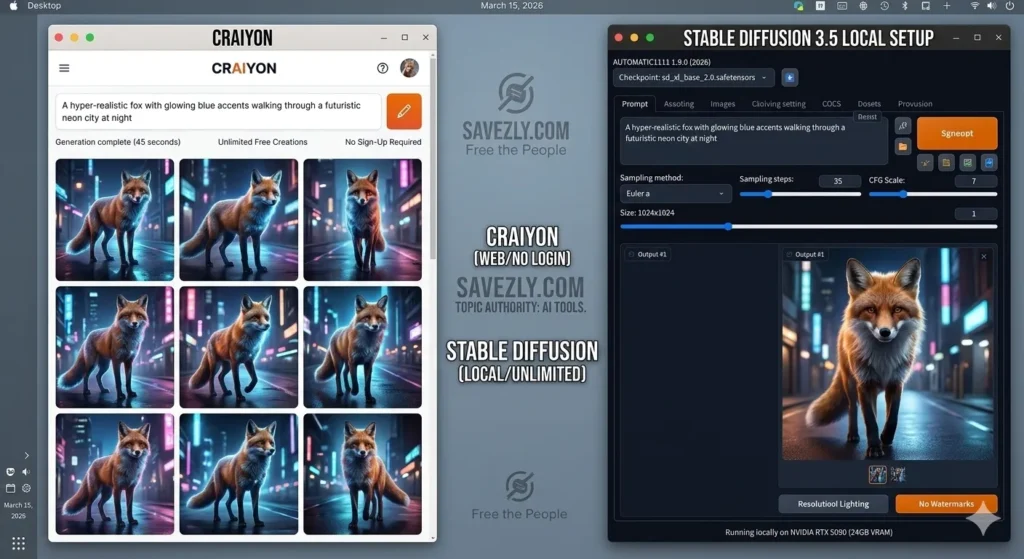
Privacy matters to a lot of creators and understandably so.
If you’re the type who doesn’t want to hand over your email address every time you want to generate an image, you’re not alone.
Here are the best free AI image generators with no sign-up and no watermark:
Craiyon
The simplest option.
Open the website, type your prompt, generate. No email, no account, no watermark. Quality is basic, but for rapid ideation or throwaway concepts, it’s perfect.
Stable Diffusion (Local Installation)
The most powerful “ghost mode” option by a mile. When you run Stable Diffusion locally using tools like Automatic1111 or ComfyUI, you’re generating images on your own hardware.
No server knows what you’re making, there’s no account, and there are absolutely zero watermarks — visible or invisible.
The trade-off is the setup process, which requires some technical comfort.
Pollinations.AI
A lesser-known option — Pollinations.AI lets you generate images through a simple URL or their web interface without any account.
It’s genuinely useful for developers who want to embed free AI image generation into their own tools.
These tools are ideal for anyone wanting a free AI image generator with no login and no watermark — whether for privacy reasons or just the convenience of skipping the sign-up screen.
AI Image Generator for YouTube Thumbnails: What Works Best
YouTube thumbnails have very specific requirements: they need to be bold, readable at small sizes, emotionally compelling, and ideally 1280×720px. Not every AI tool is suited for this, so here’s what actually works:
Once you’ve generated your perfect thumbnail, save time on your video release by using our AI Social Media Post Generator to write your descriptions and titles in seconds.
Top Picks for Thumbnails:
- Ideogram AI The gold standard for thumbnail work. It can render text directly in the image (think bold title text), handles 16:9 aspect ratios natively, and the free plan is generous enough for daily use.
- Bing Image Creator Great for generating character or scene images to use as thumbnail backgrounds. Fast, free, no watermarks.
- Leonardo AI Excellent for stylized, eye-catching thumbnail art. The free daily tokens are enough to test multiple concepts before settling on one.
When creating thumbnails, always generate at the highest resolution available, and double-check your free tier’s download resolution some tools lock high-res behind paid plans even if the watermark is absent.
How to Choose the Best Free AI Image Generator Without Watermarks
With so many options, it’s easy to get paralysed by choice.
Here’s how I’d think through the decision:
1. Figure out your volume needs first.
If you’re generating hundreds of images per week, tools like Playground AI (500/day free) or local Stable Diffusion make more sense than credit-limited platforms.
2. Consider your technical comfort level.
Tools like Adobe Firefly and Bing Image Creator are genuinely plug-and-play.
Stable Diffusion is powerful but requires setup. Be honest with yourself about where you fall.
3. Think about image type — not just quality.
Do you need photorealistic images? Lexica or Adobe Firefly.
Text-in-image for thumbnails? Ideogram.
Stylized game art? Leonardo. Match the tool to the job.
4. Check the actual download resolution.
A “free” image that downloads at 512×512px is useless for a blog header.
Always check what resolution you get before committing to a workflow.
5. Understand the invisible watermark situation.
If you’re doing commercial work or brand imagery, check whether the tool embeds C2PA credentials or SynthID signatures.
Adobe Firefly, for example, adds C2PA metadata to all outputs — this is visible to platforms and editors that check for content provenance.
6. Don’t sleep on community platforms.
Sites like Tensor.Art and NightCafe have massive communities sharing prompts and models. For creators who want to learn and improve their prompting skills, the community aspect is a genuine bonus.
Struggling to get the right look? Use our free AI Prompt Generator to craft highly detailed descriptions for tools like Firefly and Leonardo.
Frequently Asked Questions
Are there any truly free AI image generators with absolutely no watermarks?
Yes — several. Bing Image Creator, Ideogram, Leonardo AI, and Playground AI all offer watermark-free downloads on their free tiers.
Craiyon and local Stable Diffusion don’t watermark at all.
Can I use these images commercially?
It depends on the tool.
Adobe Firefly was trained on licensed content and is generally considered safer for commercial use.
Many other tools have terms of service that restrict commercial use on free plans.
Always check the individual tool’s terms before using images for commercial projects.
What’s the difference between a visual watermark and an invisible one?
A visual watermark is the logo or text you can see overlaid on an image.
An invisible watermark (like C2PA metadata or SynthID) is embedded in the image file data you can’t see it, but AI detection tools and content platforms can read it.
Adobe Firefly and Google’s tools typically embed invisible credentials.
Which free AI art generator works best for YouTube thumbnails?
Ideogram AI is the top pick for thumbnails because it handles text rendering inside images better than almost anything else and thumbnails almost always need bold text.
Bing Image Creator is a close second for generating background scenes.
Is there a free AI image generator that requires no sign-up?
Yes — Craiyon and Pollinations.AI both work without an account.
For maximum privacy and unlimited generation, running Stable Diffusion locally is the gold standard.
Do free AI image generators produce images I can post on social media?
Generally yes, though you should check each platform’s terms.
The images themselves are watermark-free, but some tools retain certain usage rights.
For personal social media use, most free tiers are fine.
How good is the image quality on free plans compared to paid?
Honestly, for most content creators’ purposes, the free tiers of tools like Leonardo AI, Ideogram, and Bing Image Creator produce images that are perfectly usable.
You might notice quality differences at very high resolutions or for highly specific creative prompts, but for blogs, social media, and thumbnails, free is genuinely good enough in 2026.
What is SynthID and should I be worried about it?
SynthID is Google DeepMind’s invisible watermarking technology, embedded in images generated by Google’s AI tools (like Gemini’s image generation).
It doesn’t affect how the image looks, but it does tag the image as AI-generated in a way that sophisticated tools can detect.
For most content creators, it’s not a practical concern but it’s worth knowing about.
Conclusion: Which Free AI Image Generator Should You Use?
There’s no single “best” tool it really comes down to what you’re making and how you work.
If I had to make a shortlist for different creator types, it’d look like this:
- Bloggers — Start with Adobe Firefly for professional-looking imagery, and supplement with Lexica for stock-photo-style shots.
- YouTubers — Ideogram AI for thumbnails with text, Bing Image Creator for background scenes. Both are free and watermark-free.
- Marketers — Leonardo AI for volume and variety, Playground AI if you need serious generation volume without paying.
- Privacy-conscious creators — Local Stable Diffusion all the way. No account, no watermarks, no metadata, no limits.
- Beginners — Canva AI if you’re already in the Canva ecosystem; otherwise Bing Image Creator is the easiest entry point.
The landscape of free AI image generators has genuinely matured in 2026.
A year or two ago, you were choosing between quality and cost.
Now, you don’t have to choose — you can get clean, watermark-free images without spending a penny.
The tools are good enough. The free plans are generous enough.
The only thing left to do is start creating.