
Picture this: You’re three days into training your custom Llama 4 model on AWS, and the bill hits $2,400. Your startup’s runway just got a lot shorter. Sound familiar?
You’re not alone. Every indie developer, 3D artist, and AI researcher has hit that moment where Cheap GPU Cloud costs feel more like a ransom than a resource.
The good news? Specialized GPU cloud providers are changing the game, and they’re doing it for a fraction of what hyperscalers charge.
This guide breaks down everything you need to know about finding cheap GPU cloud options that won’t sacrifice reliability or performance.
Whether you’re fine-tuning diffusion models, rendering Octane scenes on deadline, or testing game builds across different hardware, you’ll discover how to stretch your budget without cutting corners.
Table of Contents
What Is Cheap GPU Cloud (And Why Should You Care)?
Cheap GPU cloud refers to specialized cloud providers that rent high-performance GPUs (like H100s, A100s, and RTX A6000s) at 40-70% less than major hyperscalers like AWS, Google Cloud, or Azure. These providers achieve lower prices through optimized infrastructure, spot instances, and competitive marketplace models, making serious AI and rendering work accessible to startups, freelancers, and individual developers who can’t justify enterprise-tier pricing.
Here’s the thing: when we talk about cheap GPU cloud, we’re not talking about sketchy, unreliable servers that’ll die mid-training run.
We’re talking about legitimate, high-performance GPU infrastructure that’s priced competitively because these providers specialize in one thing: GPU workloads.
Traditional cloud providers like AWS treat GPUs as one service among hundreds.
Specialized GPU clouds? They’re laser-focused on making GPU compute affordable and accessible.
Think of it like buying a gaming laptop from a dedicated gaming brand versus slapping a discrete GPU into a generic business laptop same components, but one’s built specifically for what you need.
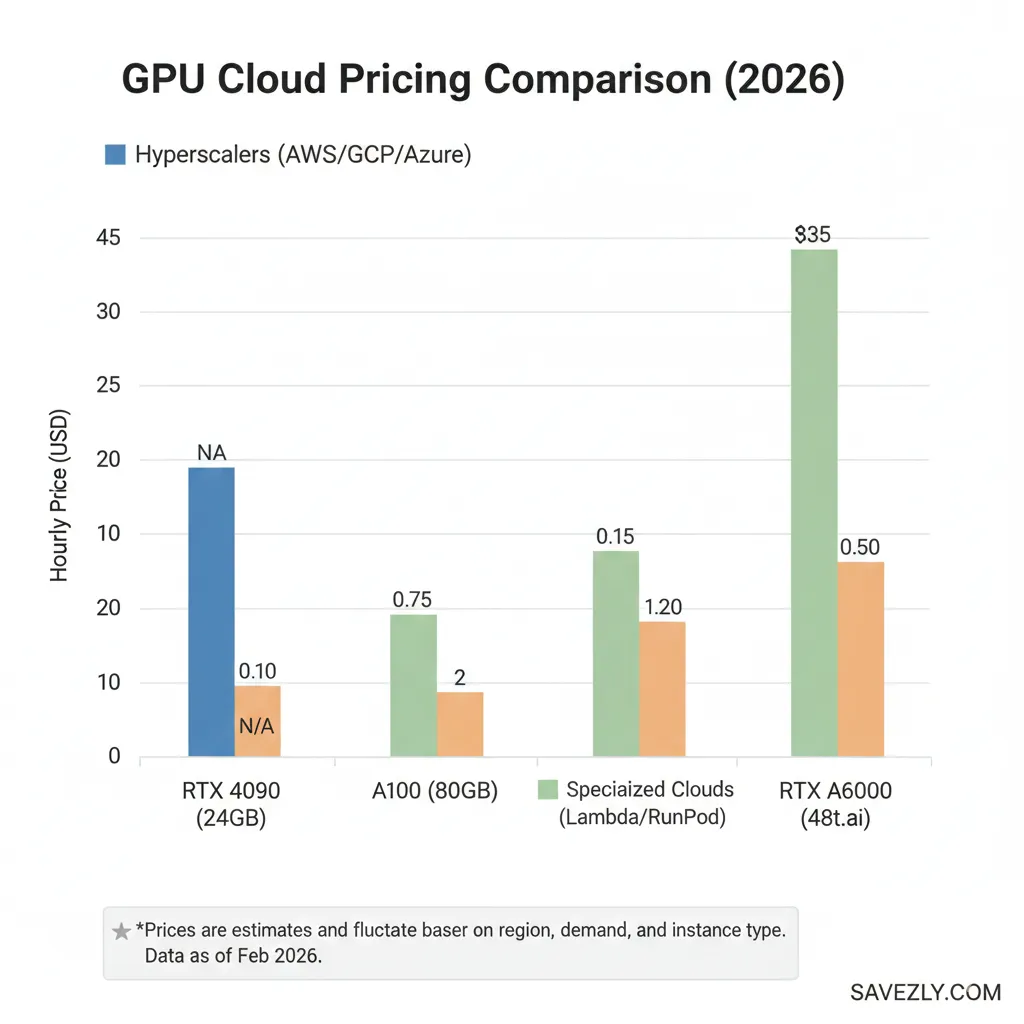
Why Traditional Cheap GPU Cloud Pricing Feels Like Highway Robbery
The hyperscalers (AWS, GCP, and Azure) charge premium rates because you’re paying for their entire ecosystem: global reach, 500+ services, enterprise support, compliance certifications you don’t need, and, frankly, brand tax.
An H100 on AWS can run you $30-40 per hour. That same H100 through a specialized provider? Often $12-18 per hour. Over a month of continuous training, that’s the difference between $22,000 and $8,640 in savings that could fund another engineer or buy you months of extra runway.
Specialized GPU clouds aren’t “bargain basement” options they’re purpose-built infrastructure without the enterprise overhead.
For most AI developers and studios, they offer identical performance at vastly lower costs.
Who Actually Needs Cheap GPU Cloud (And Who Doesn’t)
Not every use case benefits from switching providers.
Let’s get specific about who wins big with budget GPU clouds:
You’re a perfect fit if you’re:
- AI developers and ML engineers fine-tuning open-source models (Llama, Mistral, Stable Diffusion) without massive enterprise budgets
- 3D artists and motion designers rendering high-VRAM scenes in Octane, Redshift, or Blender for client deadlines
- Indie game studios testing builds across multiple GPU configurations (RTX 4090 vs 50-series) without buying every card
- Self-hosting enthusiasts running local LLMs or AI video generation that maxes out your home rig
- Startups burning through Series A where every dollar of savings extends your runway by weeks
Skip the switch if you’re:
- Running mission-critical production workloads where 99.99% uptime and enterprise SLAs are non-negotiable
- Deeply integrated with AWS/GCP/Azure services (S3, BigQuery, etc.) where data egress costs would cancel savings
- Managing compliance-heavy workloads requiring specific certifications
- Only running occasional, short GPU jobs (under 2 hours/month) where setup time outweighs savings
The sweet spot? Compute-heavy workloads that don’t need the full enterprise circus training runs, rendering batches, inference testing, and development environments.
The Big Three: Types of Cheap GPU Cloud You’ll Encounter
Understanding the landscape helps you pick the right tool for the job.
Here’s how the market breaks down:
Specialized Cheap GPU Cloud (The Sweet Spot)
These are companies built from the ground up to serve GPU compute, think Lambda Cloud, GMI Cloud, Hyperstack, CoreWeave, and RunPod.
Best for: Startups, AI researchers, and freelancers running regular training jobs or rendering work who need predictable, affordable access to top-tier GPUs.
If you aren’t sure if you need raw power or a fully-supported environment, check out our deep dive into Managed GPU Cloud Hosting to see which providers handle the technical setup for you.
Hyperscaler Spot/Preemptible Instances (The Gamble)
AWS Spot, Google Cloud Preemptible, and Azure Low-Priority VMs offer steep discounts (60-90% off) by renting unused capacity that can be interrupted with little notice.
Best for: Developers with checkpointing built into their workflow who can handle interruptions and restart from saved states.
Not ideal for deadline-sensitive work or beginners.
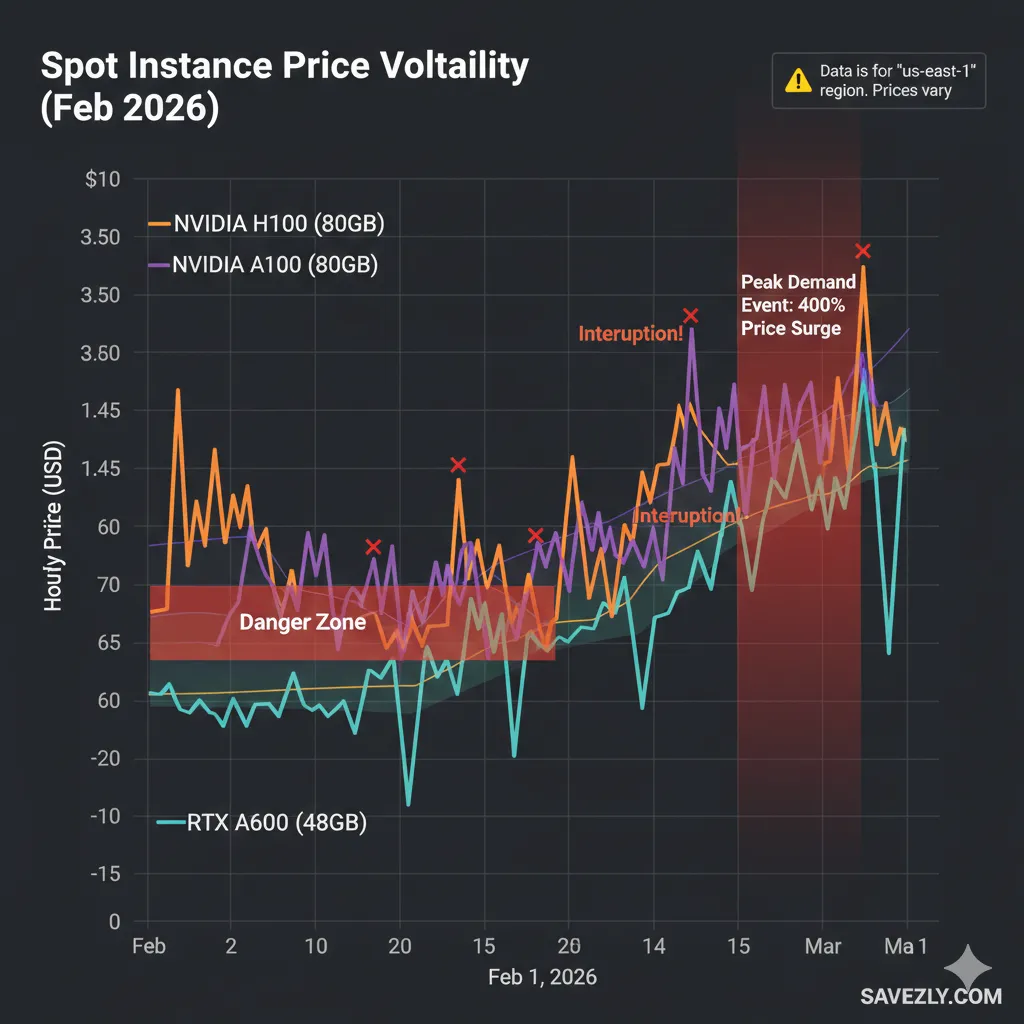
💡 PRO TIP: I learned this the hard way spot instances saved me 70% on a 48-hour Stable Diffusion fine-tune, but I got interrupted twice.
Without checkpointing every 2 hours, I would’ve lost 16 hours of work.
Budget the time to implement save states before committing.
Decentralized/Marketplace GPU Clouds (The Wild Card)
Platforms like Vast.ai and Akash Network aggregate GPU capacity from individual providers anyone with spare hardware can rent it out.
Best for: Hobbyists, researchers experimenting with different GPU configs, and developers comfortable troubleshooting who prioritize price above all else.
Specialized GPU clouds (Lambda, GMI, Hyperstack) offer the best balance of price, reliability, and ease of use for most AI and rendering workloads.
Spot instances are for experienced developers with fault-tolerant pipelines. Marketplaces are the budget option for experimentation.
Real Talk: What You Actually Pay for GPUs in 2026
Let’s cut through the marketing and look at what H100s, A100s, and RTX A6000s actually cost across different providers. Prices fluctuate, but these ballpark figures help you budget:
[Visual Placeholder: Comparison Table – GPU Pricing Across Providers]
| GPU Model | AWS/GCP/Azure (On-Demand) | Specialized Clouds | Spot/Preemptible | Marketplace (Vast.ai) |
| H100 80GB | $30-40/hr | $12-20/hr | $8-15/hr* | $10-18/hr |
| A100 80GB | $20-28/hr | $8-14/hr | $5-10/hr* | $6-12/hr |
| RTX A6000 48GB | $3-5/hr | $1.50-2.50/hr | $1-2/hr* | $0.80-1.50/hr |
| RTX 4090 24GB | Not typically offered | $1-1.80/hr | N/A | $0.50-1.20/hr |
*Spot/Preemptible pricing varies by region and demand; interruptions possible.
Breaking Down The Math
Let’s say you’re training a 13B parameter model over 48 hours on an A100:
- AWS on-demand: $24/hr × 48 = $1,152
- GMI Cloud/Lambda: $10/hr × 48 = $480
- AWS Spot (if available): $7/hr × 48 = $336 (but you might get interrupted)
That’s a $672 savings with specialized clouds, or $816 with spot instances (assuming no interruptions). For a startup running 4-5 training jobs per month, we’re talking $2,500-3,000 saved monthly enough to hire a part-time engineer.
The VRAM Sweet Spot for 2026 AI Models
Choosing the right GPU isn’t just about price it’s about matching VRAM to your workload. Here’s a quick reference based on common 2026 use cases:
[Visual Placeholder: Key Selection Checklist]
24GB VRAM (RTX 4090, RTX A5000):
- Fine-tuning 7B models (Mistral, Llama 3.1 7B) with LoRA/QLoRA
- Inference for mid-size models
- Stable Diffusion XL training (with gradient checkpointing)
40-48GB VRAM (A100 40GB, RTX A6000):
- Fine-tuning 13B models
- Batch inference for production workloads
- Training diffusion models at higher resolutions
- Multi-GPU setups for larger models (combine 2-4 GPUs)
80GB VRAM (H100, A100 80GB):
- Fine-tuning 30B-70B models
- Full-precision training (no quantization)
- Large context windows (32k+ tokens)
- Distributed training head nodes
💡 PRO TIP (BASED ON REAL FAILURE): I once tried fine-tuning a 13B model on a 24GB card without QLoRA. Ran out of VRAM 6 hours in. Always add a 20% buffer to your VRAM calculations batch sizes and optimizer states eat more memory than you expect.
How to Actually Save 40-70% on Cheap GPU Cloud Costs
Switching providers is step one. Here’s how to maximize savings without sacrificing results:
1. Use Spot Instances (But Do It Right)
Spot instances can save 60-70%, but only if you’re prepared for interruptions. The secret? Checkpointing.
# Pseudo-code example: Save your progress every N steps
if step % checkpoint_interval == 0:
    torch.save({
        'epoch': epoch,
        'model_state': model.state_dict(),
        'optimizer_state': optimizer.state_dict(),
    }, f'checkpoint_step_{step}.pt')
Most modern training frameworks (Hugging Face Transformers, PyTorch Lightning) support automatic checkpointing. Enable it before using spot instances.
2. Right-Size Your GPU (Don’t Over-Provision)
Bigger isn’t always better. An H100 costs 2-3x more than an A100, but only delivers 30-50% faster training for many workloads due to framework bottlenecks.
Run a small test first: Train for 1-2 hours on both an A100 and H100. Calculate cost-per-epoch. Often, you’ll find A100s offer better price-to-performance for mid-size models.
3. Leverage Free Credits and Startup Programs
Most providers throw credits at new users. Stack them:
- Google Cloud: $300 free credits for new accounts
- Oracle Cloud: Always-free tier includes some GPU options
- Lambda Cloud: Occasional referral credits
- GMI Cloud: Startup programs with discounted rates
Don’t sleep on these $300 can fund weeks of experimentation.
4. Batch Jobs and Off-Peak Hours
Some providers offer lower rates during off-peak hours (nights, weekends in their datacenter’s timezone). If your deadline allows, schedule long training runs overnight.
For inference workloads, batch requests instead of hitting the API continuously. Ten batched requests cost less than 100 individual API calls.
5. Compare Providers Before Every Major Job
Pricing fluctuates. GMI might undercut Lambda one month, then Hyperstack beats both the next. Before kicking off a multi-day training run, check current rates across 3-4 providers.
Bookmark comparison sites like Northflank’s GPU pricing hub that aggregate real-time rates.
The biggest savings come from combining strategies spot instances with checkpointing, right-sized GPUs, free credits, and provider comparison. A 10-minute planning session before each job can save hundreds of dollars.
The Truth About Reliability: Will Cheap GPU Clouds Let You Down?
This is the elephant in the room. Can you trust a $15/hr H100 the same way you’d trust a $35/hr AWS instance?
Short answer: mostly yes, with caveats.
What “Cheap” Actually Means (Hint: Not “Unreliable”)
Specialized providers achieve lower prices through operational efficiency, not corner-cutting:
- Optimized infrastructure: They’re not running legacy systems or supporting 500 unrelated services
- GPU-first datacenters: Built specifically for high-throughput compute, not general-purpose workloads
- Thinner margins: Venture-backed growth over maximum profit margins
- Regional focus: Fewer global regions mean lower overhead
Where They Differ From Hyperscalers
Support: Hyperscalers offer 24/7 enterprise support tiers. Specialized clouds often have community support or limited live chat. For production workloads needing instant escalation, this matters. For training runs? Not so much.
SLA guarantees: AWS promises 99.99% uptime with financial penalties. Most specialized clouds aim for 99.9% that’s 8 extra hours of downtime per year. For non-production work, the trade-off is acceptable.
Feature richness: Hyperscalers integrate seamlessly with 100+ other services. Specialized clouds focus on compute. If you need tight S3/BigQuery integration, data transfer costs might cancel savings.
Real-World Reliability: My Experience
I’ve run hundreds of hours across Lambda, GMI, RunPod, and Vast.ai over the past year. Here’s the honest breakdown:
Lambda Cloud: Solid reliability, great for production-adjacent work. Uptime comparable to hyperscalers. Pricing transparent, occasional capacity constraints.
GMI Cloud: Excellent for large H100 clusters with InfiniBand. Good support responsiveness. Newer player, so less user feedback than Lambda.
RunPod: Community-driven, variable experience. Serverless GPUs are convenient, but capacity can fluctuate. Great for experimentation.
Vast.ai: Marketplace means quality varies by provider. I’ve had instances die mid-job, but prices are unbeatable for testing. Not for production.
The pattern: Specialized clouds are production-ready for non-mission-critical workloads. Training, rendering, testing, development all solid use cases. Real-time inference with strict SLAs? Stick with hyperscalers or dedicated enterprise solutions.
Top 10 Cheap GPU Cloud Providers to Consider in 2026
Let’s break down the actual options, from most reliable to most budget-focused:
1. GMI Cloud – Best for Large-Scale H100/H200 Training
GMI specializes in enterprise-grade H100 and H200 clusters with InfiniBand networking critical for distributed training beyond 8 GPUs.
Pricing: H100 from ~$12-18/hr (40-60% cheaper than hyperscalers)
Sweet spot: Startups scaling to multi-GPU training who need reliability
Standout feature: Startup programs with custom pricing and credits
Learn more:gmicloud.ai
2. Lambda Cloud – Best Overall for AI Developers
Lambda is the go-to for AI researchers. Clean interface, transparent pricing, and a focus on the developer experience.
Pricing: A100 from ~$1.10/hr, H100 from ~$2.00/hr per GPU
Sweet spot: Individual developers and small teams running regular training jobs
Standout feature: Pre-configured ML environments (PyTorch, TensorFlow ready)
Learn more:lambdalabs.com
3. Hyperstack – Best for Transparent Pricing
Hyperstack publishes clear per-GPU pricing with no hidden fees. RTX A6000s from $0.50/hr make it great for budget-conscious users.
Pricing: RTX A6000 from $0.50/hr, H100 competitive with Lambda
Sweet spot: Cost-sensitive developers who want predictable billing
Standout feature: No-surprise pricing model
Learn more:hyperstack.cloud
4. RunPod – Best for Serverless GPU Workloads
RunPod’s serverless model means you pay per-second of actual GPU use, not idle time. Great for bursty workloads.
Pricing: A100 from ~$0.80/hr serverless, templates for common frameworks
Sweet spot: Inference APIs and irregular training schedules
Standout feature: Community templates for one-click deployments
Learn more:runpod.io
5. Paperspace by DigitalOcean – Best for ML Beginners
Paperspace offers Jupyter notebook environments with GPU backends perfect for learning and prototyping.
Pricing: Lower-tier GPUs from $0.50-1.50/hr, notebook-first UX
Sweet spot: Students, bootcamp grads, and ML learners
Standout feature: Gradient platform with notebook integration
Learn more:paperspace.com
6. Vast.ai – Best for Rock-Bottom Pricing
Vast’s marketplace aggregates GPUs from individual providers. Prices can be 50-80% cheaper, but quality varies.
Pricing: RTX 4090s from $0.40/hr, H100s from $8-12/hr
Sweet spot: Hobbyists and experimentation where interruptions are acceptable
Standout feature: Access to consumer GPUs (RTX 4090s) for inference testing
Learn more:vast.ai
Vast.ai vs. RunPod: GPU Pricing Comparison (Feb 2026)
| GPU Model | RunPod (On-Demand) | Vast.ai (Marketplace) | Price Difference | Best For |
| RTX 4090 (24GB) | ~$0.40/hr | ~$0.28/hr | Vast is 30% cheaper | Budget fine-tuning |
| A100 SXM (80GB) | $0.79/hr | $0.67/hr | Vast is 15% cheaper | Large model training |
| H100 (80GB) | $1.50/hr | $1.55/hr | RunPod wins (rare) | High-end clusters |
| L40 (40GB) | $0.69/hr | $0.31/hr | Vast is 55% cheaper | High-VRAM rendering |
| B200 (192GB) | $5.98/hr | $2.67/hr | Vast is 124% cheaper | State-of-the-art LLMs |
7. CoreWeave – Best for Enterprise GPU Clusters
CoreWeave targets larger studios and AI companies needing 100+ GPU clusters with custom networking.
Pricing: Competitive with Lambda at scale, volume discounts available
Sweet spot: VFX studios, large AI labs, and companies outgrowing Lambda
Standout feature: White-glove onboarding for enterprise clusters
Learn more:coreweave.com
8. AWS EC2 Spot Instances – Best for Hyperscaler Integration
If you’re already deep in AWS, spot instances offer 60-70% savings with interruption risk.
Pricing: A100 spot from ~$5-10/hr (region-dependent)
Sweet spot: Teams already using S3, SageMaker, or other AWS services
Standout feature: Full AWS ecosystem access
Caveat: Requires checkpointing; availability not guaranteed
Learn more:aws.amazon.com/ec2/spot
9. Oracle Cloud Infrastructure (OCI) – Best for Free Credits
Oracle’s aggressive pricing and always-free tier make it worth testing, especially for inference.
Pricing: Competitive A100 rates, always-free tier includes some compute
Sweet spot: Proof-of-concept projects and credit maximization
Standout feature: Generous free tier for experimentation
Learn more:oracle.com/cloud/compute
10. Google Cloud Preemptible GPUs – Best for GCP Users
Similar to AWS Spot, but with better integration for teams using BigQuery, Vertex AI, etc.
Pricing: Preemptible A100s from ~$5-8/hr
Sweet spot: GCP-native teams running fault-tolerant workloads
Standout feature: $300 new-user credits
Learn more:cloud.google.com/compute/docs/gpus
FAQs
What is the cheapest GPU cloud for AI and machine learning workloads?
For 2026, Vast.ai and RunPod consistently offer the lowest absolute prices, with RTX 4090s starting around $0.40-0.80/hr and A100s from $0.80-1.50/hr. However, “cheapest” depends on your reliability needs. If you need predictable uptime, Lambda Cloud and Hyperstack offer better value at $1.10-1.50/hr for A100s.
How much does a cheap cloud GPU cost per hour for models like A100, H100, or RTX A6000?
Current market rates (early 2026):
- H100 80GB: $12-20/hr (specialized clouds) vs $30-40/hr (AWS/GCP/Azure)
- A100 80GB: $8-14/hr (specialized) vs $20-28/hr (hyperscalers)
- RTX A6000 48GB: $1.50-2.50/hr (specialized) vs $3-5/hr (hyperscalers)
Spot/preemptible instances offer 60-70% discounts but can be interrupted.
Are specialized GPU cloud providers cheaper than AWS, Google Cloud, or Azure for AI training?
Yes, typically 40-70% cheaper for on-demand instances. Specialized providers (Lambda, GMI, Hyperstack) focus solely on GPU compute, allowing lower overhead and competitive pricing. However, if you’re already using extensive AWS/GCP/Azure services, data egress fees and integration costs might reduce effective savings.
Which cloud platforms offer the lowest-cost GPU instances for long training runs?
For uninterrupted long runs: Lambda Cloud, GMI Cloud, or Hyperstack offer the best balance of price and reliability.
For fault-tolerant runs: AWS Spot or GCP Preemptible instances deliver the lowest prices (60-70% off) if you implement checkpointing.
For absolute lowest cost (with caveats): Vast.ai marketplace, but expect variable quality.
How can startups reduce GPU cloud costs by 40-70% compared to major hyperscalers?
- Switch to specialized providers (Lambda, GMI, Hyperstack) for 40-60% immediate savings
- Use spot/preemptible instances with checkpointing for 60-70% savings
- Right-size GPUs—don’t over-provision (A100 vs H100 cost-per-epoch analysis)
- Leverage free credits from multiple providers (GCP $300, Oracle free tier)
- Batch jobs during off-peak hours when available
- Compare providers before each major job—pricing fluctuates
What are the trade-offs between very cheap GPU cloud providers and large hyperscalers in terms of reliability and support?
Specialized clouds: 99.9% uptime (vs 99.99% for hyperscalers), community or limited support, fewer global regions, GPU-focused ecosystem.
Hyperscalers: 24/7 enterprise support, financial SLAs, 100+ integrated services, global presence.
Trade-off: For training, rendering, and development, specialized clouds are reliable enough. For mission-critical production inference with strict SLAs, hyperscalers offer better guarantees.
Which providers offer free credits or trials so I can test GPU cloud before paying?
- Google Cloud: $300 free credits for new users
- Oracle Cloud: Always-free tier (limited GPU access)
- AWS: $100-300 credits through various programs (startups, students)
- GMI Cloud: Startup programs with custom credits
- Lambda Cloud: Occasional referral credits
- Paperspace: Free tier for lower-end GPUs
Always check current promotions—providers frequently run credit campaigns.
Is spot or preemptible GPU capacity the best way to get cheap cloud GPUs on AWS, GCP, or Azure?
Best for: Experienced developers with fault-tolerant pipelines and checkpointing implemented.
Savings: 60-90% off on-demand pricing.
Risks: Instances can be interrupted with 30-120 seconds notice; availability fluctuates.
Verdict: Spot/preemptible is excellent if you’re prepared for interruptions. Without checkpointing, one interruption can cost you hours of lost work. Not recommended for beginners or deadline-critical jobs.
What GPU models (e.g., H100, A100, RTX A6000) give the best price-to-performance ratio in cheap GPU clouds?
For most AI training in 2026: A100 80GB offers the best balance. H100s are 30-50% faster but cost 2-3x more diminishing returns for many workloads.
For inference and fine-tuning smaller models: RTX A6000 (48GB) delivers solid performance at 1/5 the cost of H100s.
For experimentation: RTX 4090 (24GB) on marketplaces like Vast.ai is unbeatable value for testing.
Pro tip: Always run a cost-per-epoch comparison on your actual workload before committing to the most expensive GPU.
How do I estimate and control my monthly bill when using low-cost GPU cloud for LLM training?
- Calculate hours needed: Training time = (total steps × batch size) / (GPU throughput × num_gpus)
- Multiply by hourly rate: Hours × $/hr = job cost
- Add 20% buffer for debugging, setup, checkpointing overhead
- Set billing alerts in your provider dashboard (most support this)
- Use auto-shutdown scripts to terminate instances when jobs complete
- Monitor costs weekly—don’t wait for end-of-month surprises
Example: 13B model, 100k steps, A100 at $10/hr, 48 hours estimated = $480 + 20% = ~$600 budgeted.
Are decentralized or niche GPU clouds reliable enough for production AI workloads?
For production inference with SLAs: No. Stick with Lambda, GMI, CoreWeave, or hyperscalers.
For training, experimentation, batch inference: Yes, with caveats. Platforms like Vast.ai and Akash offer massive savings but variable quality. Expect occasional downtime or slow providers.
Recommendation: Use decentralized clouds for non-critical work, development, and testing. Graduate to specialized providers (Lambda, GMI) when you need production reliability.
Which cheap GPU cloud providers support InfiniBand or high-speed networking for large distributed training jobs?
GMI Cloud and CoreWeave specialize in InfiniBand clusters for multi-GPU training beyond 8 GPUs. Lambda Cloud also offers InfiniBand on dedicated clusters (contact sales).
Why it matters: InfiniBand delivers 200-400 Gbps bandwidth vs 10-100 Gbps Ethernet, critical for keeping 16+ GPUs busy during distributed training without communication bottlenecks.
Wrapping It Up: Your Next Steps
You’ve made it through 2,000+ words of GPU cloud deep-dive congrats, seriously. Here’s the executive summary:
Specialized GPU clouds like Lambda, GMI, and Hyperstack can cut your costs 40-70% compared to AWS/GCP/Azure without sacrificing performance for training and rendering work. The trade-offs (slightly lower uptime SLAs, fewer integrations) are negligible for most non-production workloads.
Spot instances are the advanced mode master checkpointing first, then enjoy 60-90% savings. Don’t wing it on deadline-sensitive projects.
Marketplaces like Vast.ai are the budget tier perfect for experimentation and testing, but not where you want to stake your reputation.
The best provider depends on your specific needs, but here’s a cheat sheet:
- Best overall: Lambda Cloud (ease-of-use + reliability)
- Best for H100 clusters: GMI Cloud (InfiniBand + startup programs)
- Best for tight budgets: Vast.ai (lowest prices, variable quality)
- Best for hyperscaler integration: AWS/GCP Spot (if you’re already invested)
Your homework: Before your next training run, spend 10 minutes comparing current rates across 3 providers. Bookmark Northflank’s pricing hub. Sign up for free credits on Google Cloud and Oracle. Set billing alerts.
Then fire up that H100, kick off your training, and watch your runway extend instead of evaporate.