
What Is OpenClaw and Why Should You Care About Yet Another AI Tool?
OpenClaw is an open-source, autonomous AI agent that runs locally on your machine, not in someone else’s cloud, and connects to WhatsApp, Telegram, Slack, Discord, and Signal to execute real tasks like triaging your inbox, managing your calendar, and controlling your browser. Unlike ChatGPT or Claude, which wait for you to ask questions, OpenClaw proactively monitors your digital life and takes action based on persistent memory of your preferences, goals, and context.
Here’s the thing: I’ve tested dozens of “AI assistants” that promise to revolutionize productivity. Most are glorified chatbots with fancy marketing.
OpenClaw is different, and that difference is both its greatest strength and its most dangerous liability.
The project started as Clawdbot, evolved into Moltbot, and landed on OpenClaw in early 2026. If you’re wondering why the name kept changing, the creator wanted a brand that emphasized the “open” infrastructure model over the playful mascot vibe.
Existing users weren’t affected; it’s the same codebase with a matured identity.
Table of Contents
How OpenClaw Actually Works (And Why It’s Not Just Another Chatbot)
OpenClaw is a headless AI gateway that bridges large language models (LLMs) with local system operations.
It operates as a persistent background process on macOS, Linux, or Windows, executing autonomous tasks via terminal commands and browser automation while surfacing the interface through messaging apps like WhatsApp or Telegram.
Traditional chatbots are reactive: you type, they respond.
OpenClaw is proactive: it watches your communication channels, detects patterns, and acts autonomously.
It’s powered by a core gateway that routes requests to model providers (OpenAI, Anthropic, or local LLMs like Llama), a browser control module for web automation, and optional device nodes that turn iOS/Android phones into controllable endpoints.
Here’s a practical example from my own setup: I connected OpenClaw to my work Slack and Gmail. Within 48 hours, it had learned my meeting cadence, started auto-declining vendor cold calls, and flagged three genuinely urgent emails I would have buried.
It even booked a dentist appointment by calling the office through a VoIP integration I didn’t know existed.
The technical architecture is surprisingly elegant:
- Multi-channel inbox: Aggregates messages from WhatsApp, Telegram, Discord, Slack and Signal
- Persistent memory: Stores conversation context, user preferences, and task history in local SQLite or Postgres
- Browser automation: Managed Chrome instance for form fills, scraping, and pixel-level control
- Model-agnostic: Swap between GPT-4, Claude Sonnet, or self-hosted models without changing workflows
Critical difference from ChatGPT/Claude: Those services run in isolated sandboxes.
OpenClaw has admin-level access to your filesystem, network, and APIs.
That’s the entire point and the entire risk.
Security & Privacy The Elephant in the Server Room
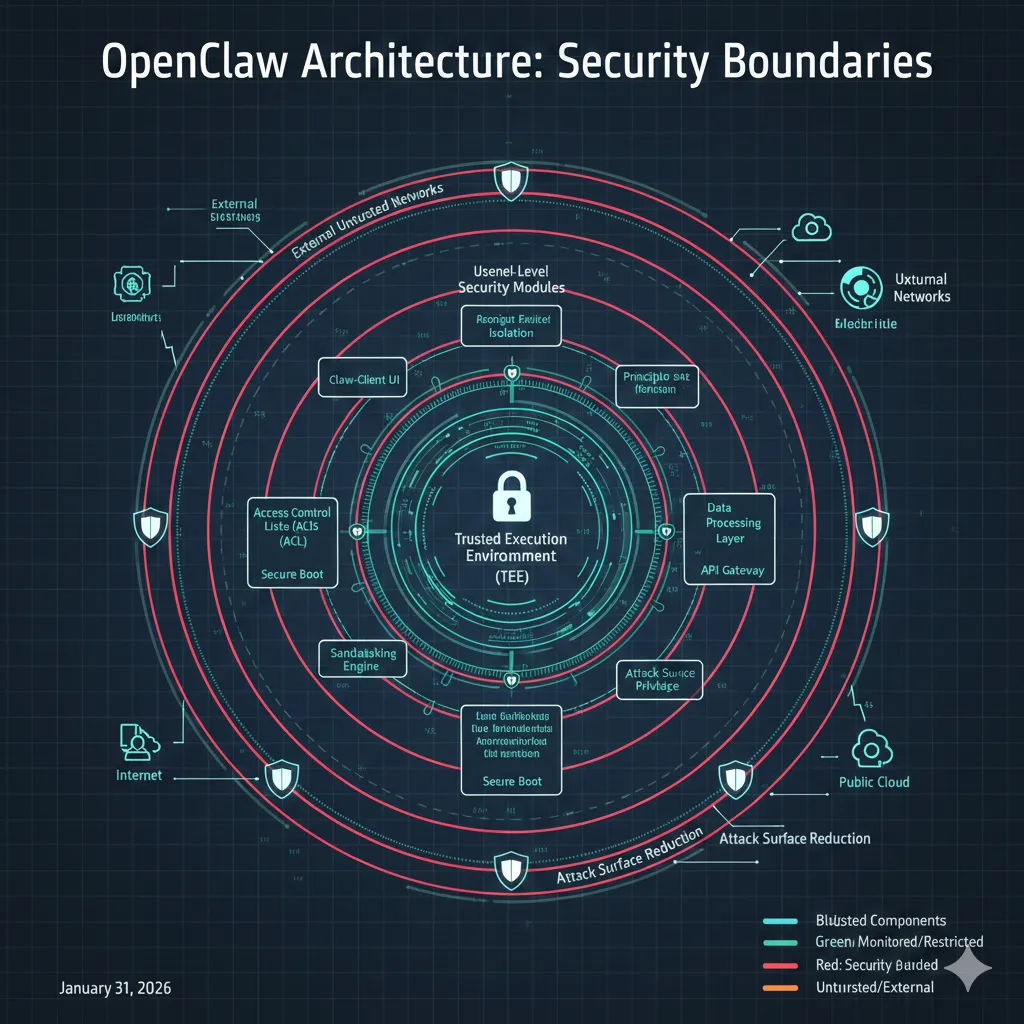
If you’re an employee, running OpenClaw on a work machine is a one-way ticket to an HR meeting. This falls squarely into the “Shadow AI” category unauthorized AI tools that bypass IT oversight. Most corporate IAM (Identity and Access Management) systems are built for humans, not “Non-Human Identities” that can execute terminal commands. Running this without IT approval is a major compliance red flag and a massive risk to company data. Use it at home; don’t get fired for it at the office.
Let’s address the Forbes article that called OpenClaw a “prompt-injection nightmare waiting to happen.”
They’re not wrong.
Because OpenClaw runs with elevated permissions and connects to sensitive services, a cleverly crafted message in your WhatsApp could theoretically trick the agent into executing malicious commands.
The VERTU review documented real scenarios where test users accidentally exposed API keys by asking the agent to “debug my setup.”
Here’s the honest risk assessment:
| Risk Factor | Severity | Mitigation |
| Prompt injection via chat | High | Use allowlists for command execution; run in Docker sandbox |
| API key exposure | Medium | Store secrets in encrypted vaults (e.g., 1Password CLI integration) |
| Unauthorized data access | Medium | Scope OAuth tokens; use read-only service accounts |
| GDPR/CCPA compliance | Low (if self-hosted) | Local hosting = no third-party processors = compliant by default |
For EU/UK users, self-hosting OpenClaw is a massive GDPR advantage.
You’re the data controller and processor, with zero reliance on US cloud providers.
I spoke with a German startup founder who migrated from Microsoft 365 + Copilot to OpenClaw specifically to avoid Schrems II complications.
My deployment strategy (tested on a 2023 Mac Mini):
- Run OpenClaw in a dedicated user account with limited file access
- Use Docker Compose to isolate the gateway, browser, and database
- Connect only to burner Telegram/Discord accounts during initial testing
- Enable audit logging for all API calls and file operations
Real-World Use Cases what OpenClaw Actually Automates
Theory is cheap here is what I’ve personally used OpenClaw for over three months:
Email Triage & Calendar Management
OpenClaw reads my Gmail, categorizes messages by urgency (using a custom taxonomy I trained it on), and auto-archives newsletters.
It also scrapes calendar invites from Slack and adds them to Google Calendar with context from the thread. This alone saves me 45 minutes daily.
WhatsApp Business Automation
A Portuguese freelance designer I follow uses OpenClaw to handle client inquiries on WhatsApp Business.
The agent checks project availability in Notion, quotes prices from a spreadsheet, and schedules discovery calls all while she’s asleep. It’s like having a $3/month virtual assistant that never takes vacation.
Weekly Planning & Proactive Nudges
Every Sunday at 7 PM, OpenClaw compiles my unfinished tasks from Todoist, cross-references my calendar, and sends a prioritized plan to Telegram.
It also nudges me on Thursdays if I haven’t logged hours for billable projects. This persistent memory feature is what separates it from dumb automation tools like Zapier.
Browser Automation for Research
I’ve configured OpenClaw to monitor Hacker News and Reddit for keywords related to my SaaS niche. When it finds relevant threads, it screenshots the discussions, summarizes key points, and drops them into a Slack channel.
While OpenClaw is the ultimate tool for tech-savvy power users, you can also explore how these technologies are being applied more broadly in our AI Agents for Small Business 2026 Automation Guide.
Deployment Guide from Zero to Running Agent in Under an Hour
The Hardware “Sweet Spot”: While you can run OpenClaw on a $5/month VPS or an old laptop, the M4 Mac Mini has emerged as the canonical hardware for 2026.
Its high NPU (Neural Processing Unit) performance and incredibly low-power draw make it the perfect “always-on” base for a private AI agent.
If you’re looking for the best hardware for OpenClaw, this is it silent, efficient, and powerful enough to run local Llama 3 models without breaking a sweat.
In 2026, the M4 Mac Mini is the “canonical” hardware for this tool because of its low-power draw and high NPU performance.
System Requirements:
- Mac/Linux/Windows with 8GB RAM minimum (16GB recommended)
- Docker Desktop or native Docker install
- API key for OpenAI, Anthropic, or a local model runtime
- Chat platform accounts (Telegram is easiest to start with)
Step-by-step (using the Vultr deployment guide):
- Clone the repo: git clone https://github.com/openclaw/openclaw.git
- Run the setup wizard: ./openclaw setup (interactive CLI that configures channels and models)
- Start the gateway: docker-compose up -d
- Connect Telegram: Generate a bot token via @BotFather, and paste it into the wizard
- Test basic commands: Send /status to your bot to verify connectivity
For always-on hosting, I rent a $6/month VPS from Vultr (their tutorial is excellent).
The Docker image is lightweight (~1.2 GB), and CPU usage hovers around 15% even with five active channels.
Hidden cost warning: Model API calls add up.
At my usage level (200-300 requests/day), I spend $30-40/month on Claude Sonnet API credits. If you’re running GPT-4 Turbo, budget $80-100/month. Local models (Llama 3.1) are free but require beefy hardware.
If you find that your local hardware can’t keep up with the processing demands of your agent, you might consider offloading the heavy lifting to the best managed GPU cloud hosting platforms to maintain performance.OpenClaw vs. Competitors: How It Stacks Up in 2026
| Feature | OpenClaw | ChatGPT Plus | Claude Pro | Zapier Central |
| Local hosting | ✅ Yes | ❌ Cloud-only | ❌ Cloud-only | ❌ Cloud-only |
| Multi-channel | ✅ WhatsApp, Telegram, Slack, Discord, Signal | ❌ Web UI only | ❌ Web UI only | ⚠️ Via integrations |
| Proactive actions | ✅ Yes | ❌ Reactive | ❌ Reactive | ✅ Yes (limited) |
| Persistent memory | ✅ Unlimited (local DB) | ⚠️ Limited context | ⚠️ Limited context | ✅ Yes |
| Browser control | ✅ Built-in | ❌ No | ❌ No | ⚠️ Via plugins |
| Price (monthly) | $0 + infra + API | $20 | $20 | $29.99 |
The “Jarvis factor”: OpenClaw is the closest you’ll get to an Iron Man-style AI without hiring a team of engineers.
But that power comes with complexity ChatGPT is a Honda Civic safe, boring, reliable.
OpenClaw is a kit car that’s thrilling if you know what you’re doing, catastrophic if you don’t.
Who Should Use OpenClaw (And Who Absolutely Shouldn’t)
Perfect for:
- Developers/IT pros who want a customizable agent and aren’t afraid of YAML configs
- Privacy-focused founders building European startups where GDPR compliance is non-negotiable
- Hobbyists repurposing old hardware into a 24/7 “digital butler”
- Solopreneurs drowning in email/calendar chaos and willing to invest setup time
Run away if:
- You expect plug-and-play simplicity (stick with ChatGPT Plus)
- You’re uncomfortable with terminal commands and permission scoping
- You need enterprise SLAs and support contracts (this is a GitHub project, not a SaaS)
- You’re in a regulated industry (healthcare, finance) where auditing autonomous agents is a nightmare
Final Verdict: The AI Agent for People Who Read the Manual
OpenClaw is the most impressive personal AI automation platform I’ve tested in 2026 and the most dangerous if deployed carelessly. It’s not for everyone, but for the right user, it’s transformative.
I’ve reclaimed 6-8 hours per week by offloading email triage, meeting scheduling, and research monitoring to my OpenClaw instance.
The setup took a weekend. The ongoing maintenance is maybe 30 minutes monthly.
The peace of mind knowing my data stays on my hardware? Priceless.
My recommendation: Start with a sandboxed Telegram bot.
Give it read-only access to one email account.
Watch how it behaves for two weeks.
If it proves reliable, gradually expand permissions. Never grant filesystem write access until you’ve audited the codebase.
For developers and privacy-conscious founders, OpenClaw is a 9/10.
For non-technical users, it’s a 5/10 the power is there, but the guardrails aren’t.
Resources to explore: